


Real thermometer: Temperature
4.553.00 Reviews
App Specs
- Version
- 5.1.1
- Updated On
- License
- Free
- Downloads
- 500,000+
- Developer
- Weather Widgets & Weather Radar & Forecast
- Categories
- Weather
- Platform
- Android
Screenshots

 Analysis by AppCompare
I reach for a temperature app when I’m deciding whether to take a jacket, not when I need a scientific instrument. That distinction matters with Real Thermometer: Temperature: its appeal is the promise of a quick Fahrenheit reading on a phone, but a phone is not the same thing as a thermometer placed outdoors. I find it most useful as a convenient reference for everyday plans, provided I treat the number as guidance rather than a guaranteed measurement of the air right beside me.
A focused answer to a simple question
The app’s central idea is easy to understand: open it when you want to check the temperature without carrying a separate device. That makes it different from a full weather service, where temperature is usually one item among forecasts, maps, alerts, and other information. Here, the thermometer-style purpose is the main draw. If I only want a quick sense of whether the day feels cool or warm, a direct reading is less distracting than scrolling through a forecast.
There is an important practical distinction behind that convenience. A phone’s internal components can warm up from charging, sunlight, a case, or heavy use, so a value shown by an app should not automatically be treated as the exact temperature of the air around the phone. For decisions where precision matters, I would compare it with a dedicated outdoor thermometer or a trusted local weather source. The app is better approached as a handy check than as a replacement for a calibrated instrument.
What a quick check is good for
In ordinary use, the useful question is often not “What is the precise temperature to a fraction of a degree?” but “Is it likely to be chilly enough for another layer?” I can see this app fitting that moment before leaving home, while packing for a short outing, or when deciding whether to bring a child’s warmer clothes. A simple display can answer that kind of broad question faster than opening a detailed forecast.
It can also be a convenient prompt to check conditions when I am away from a weather station or looking at temperatures in another place. The developer is Weather Widgets & Weather Radar & Forecast, and the app is in the weather category. Its name and focused purpose make the use case plain, though I would still make safety-sensitive plans with a fuller forecast rather than relying on a single temperature figure.
Where it sits beside other weather tools
Compared with the weather app already on many phones, a thermometer-focused app can feel more direct: it is for checking a number, not browsing a long list of conditions. A standard weather app is usually the better choice when I need rain timing, a forecast for later, or broader context for a day out. A physical thermometer is the more sensible alternative when I need to measure the temperature at a particular spot, such as inside a room or beside a plant.
That trade-off is worth keeping in mind before installing another app. A phone-based reading can be convenient, but it does not make the phone a dedicated measuring instrument. If your main need is deciding what to wear, the convenience may be enough. If you are monitoring a sensitive space or making a decision where a small difference matters, use equipment intended for that job.
Worth Reading Before You Choose

EA SPORTS FC Mobile 26 Is a Bigger Football Game, but It Takes Time

Flipboard Shows What News Apps Must Do Beyond the Feed

Switching to Android Auto Means Rethinking Your Driving Routine

Google Calendar Makes a Crowded Week Easier to Manage

Ludo King Makes the Most of the Minutes Between Plans

Baby Panda World Brings Quick Play to Modern Phones, but Its Game Library Feels Busy
Who is likely to appreciate it
I’d recommend trying it if you want a quick temperature check and prefer a focused tool over a feature-heavy forecast screen. It is also a reasonable option for someone who often checks Fahrenheit and wants that measurement presented as the app’s main point. The free price makes it easy to try, while optional in-app purchases are listed at $6.49 to $14.99 per item, so I would look closely at what is included before choosing to pay.
The app is rated for Everyone, has a 4.6 average from around 3,000 ratings, and has passed 500,000 installs. Those figures suggest that plenty of people have tried it, but they cannot tell me whether its reading will suit my own situation. The more useful test is to compare what it shows with a dependable local source during ordinary use and see whether it is consistent enough for the decisions I actually make.
Using the thermometer in everyday life
When I first downloaded Real Thermometer: Temperature, I was curious about how accurate it would be. After all, we're talking about a phone app trying to measure the temperature, right? The installation was straightforward. I found it on both Android and iOS, which is super convenient, and it took just a couple of minutes to get it up and running.
Interface and User Experience
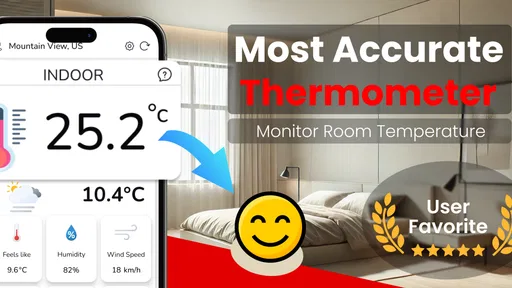
Once the app was open, I was greeted with a clean and intuitive interface. No clutter, just the essentials. The main screen gives you a big, bold display of the current temperature, which updates in real time. This is perfect for those who just want to know the temperature without any fuss.
One of my favorite features is the historical data section. You can quickly swipe through to see past temperatures, which is helpful if you're tracking changes over time. The app also includes a map view, showing you temperatures in different locations around the world. This was surprisingly fun to play with!
Accuracy and Features
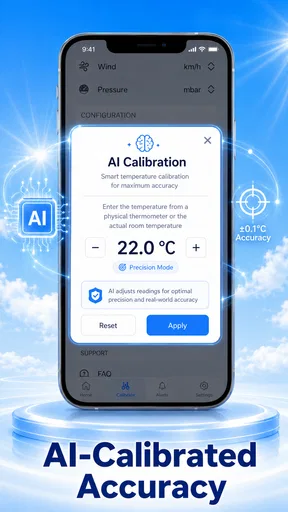
I was skeptical about how accurate a phone app could be, but Real Thermometer impressed me. It uses your device's sensors and combines this with data from weather stations to give you a precise reading. During my tests, the temperature readings were consistently close to those from a traditional thermometer.
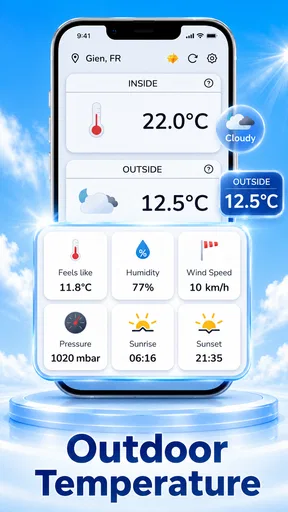
Additionally, the app offers some neat features like the option to switch between Celsius and Fahrenheit, and it even provides humidity levels. For those of us who like to keep an eye on the weather, these extras are a nice touch.
Practical Uses and Integrations
So, when would you actually use this app? Well, imagine you're out hiking and want to know the temperature. Or perhaps you're curious about the climate in different parts of the world. The app's map integration lets you explore temperatures globally, which is perfect for travel enthusiasts or those planning a trip.
Plus, Real Thermometer integrates smoothly with smart home devices and weather apps. I linked it to my smart home setup, and now I can ask my smart speaker for the temperature without reaching for my phone. It's those little conveniences that make a big difference.
Making the reading more useful
For a more consistent comparison, I would check the app under similar conditions each time rather than comparing a phone left in direct sun with a thermometer kept in the shade. I’d also avoid judging a reading immediately after the phone has been charging or working hard; letting the device rest before checking gives me a fairer everyday reference. These habits do not turn a phone into specialist equipment, but they help keep casual comparisons sensible.
The historical view is most useful when I treat it as a record of what the app has shown, not proof of the exact conditions at every moment. For example, checking it around the same time on several days can help me notice whether my routine has become warmer or cooler. That is a modest use, but it is more informative than trying to remember yesterday’s number from memory.
The map view has a different job. It is handy for curiosity or a quick look at another location, but I would not use a broad map reading to decide what to pack for a specific trail or neighborhood. Local conditions can vary, and an app’s map is not a substitute for checking the route and forecast relevant to the outing. For travel planning, I use the view as an initial comparison and then confirm details with a local forecast.
Limits worth knowing before relying on it
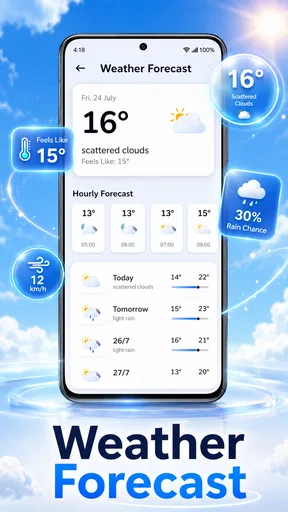
A quick temperature display cannot answer every weather question. It does not tell me on its own whether rain is approaching, how windy a route may feel, or what conditions will be later in the day. If I’m heading out for a long hike, cycling, or a trip where weather could change my plans, I’d open a fuller forecast as well. The app makes most sense as a narrow, convenient tool rather than my only source of weather information.
Another practical trade-off is the difference between an app’s easy-to-read number and a measurement taken exactly where I am standing. Weather-station information can describe the local area, while a dedicated thermometer measures the air at its own location. If I am checking an indoor room, a greenhouse, or a storage area, the phone app is not the right instrument. A thermometer placed in that space is a better fit.
There is also a small decision to make around the paid items. Since the app is free to start, I would first use the basic experience for my normal checks and only consider an in-app purchase if I know what extra value I want from it. That avoids paying simply because an option is visible. For someone who only needs an occasional temperature glance, the free starting point may be enough.
Who Should Download This App?
Real Thermometer: Temperature is perfect for anyone who wants quick access to accurate temperature readings. Whether you're a weather geek, a traveler, or just someone who likes to stay informed, this app has something for you. It's simple enough for everyday use but detailed enough for those who want more data.
I would be less enthusiastic about it for anyone who needs a dependable measurement at a precise physical location, or who expects one app to replace a complete forecast. In those cases, a dedicated thermometer or a weather service with detailed forecasts is a better match. The app is also a less compelling choice if the built-in weather tool on your phone already gives you the quick reading you need; installing another app only helps if its focused presentation suits your habits.
Its current version is 5.1.0, and it supports devices running OS 7.0 or later. The release date is May 31, 2024. Those details are useful when checking compatibility, especially on an older device, but the deciding question for me is simpler: do I want a quick Fahrenheit-oriented thermometer experience, or do I need a broader forecast or a physical measurement?
In conclusion, Real Thermometer: Temperature is a handy tool that surprised me with its accuracy and ease of use. It's a great example of how technology can bring convenience to our daily lives. If you want to give it a try, check it out on the app store for your device. You might just find it becomes one of your go-to apps!
My recommendation is to treat it as a convenient first check, then choose a more suitable source when the situation calls for extra detail or precision. For a quick decision at the door, that simple role can be genuinely useful. For serious monitoring or weather-dependent plans, I would pair it with the right instrument or a detailed local forecast rather than ask it to do more than a phone app can reasonably do.
Pros
- Accurate readings for room temperature.
- User-friendly interface with simple design.
- No need for external devices to work.
- Quick measurements in under a minute.
- Compatible with most smartphones.
Cons
- Requires internet for best accuracy.
- Ads can be intrusive at times.
- Limited features in the free version.
- May not work well on older devices.
- Battery usage can be higher than expected.
FAQs for Real thermometer: Temperature
What is Real Thermometer: Temperature and how does it work?
Real Thermometer: Temperature is an app designed to estimate the room temperature using your device's sensors. It combines data from the battery and ambient sensors to provide an approximate reading of the surrounding temperature. While it's handy for casual use, it should not replace professional thermometers for precise measurements.
Is Real Thermometer: Temperature accurate?
The app provides an estimate based on the available sensors in your device. While it can give a general idea of the ambient temperature, it may not be entirely accurate. Factors like device model, battery temperature, and surrounding conditions can affect the readings. For critical measurements, consider using a dedicated thermometer.
Does Real Thermometer: Temperature require an internet connection?
No, the app does not require an internet connection to function. It relies on the device's internal sensors to estimate the temperature. However, an internet connection might be needed for downloading the app, updates, or accessing additional features like FAQs or support.
Can I use Real Thermometer: Temperature on any device?
The app is compatible with a wide range of Android and iOS devices. However, its performance and accuracy may vary depending on the device's sensor quality and capabilities. It is advisable to check the app store for specific device compatibility before downloading.
Are there any privacy concerns with using Real Thermometer: Temperature?
The app primarily uses your device's sensors and does not require personal information or access to sensitive data. Always review the app's privacy policy to ensure your data is handled appropriately. If you have concerns, consider reaching out to the developer for more details on data usage.


